


Tally Prime Shortcut Keys 2026 Updates
I’ve seen many accountants at ServiceMoney struggling with heavy data entry. If you are still reaching for your mouse every time you enter a purchase, you are losing precious hours. Let’s fix that today with the 2026 Tally Prime workflow.

Today, I’m breaking down the most essential shortcuts for Purchase and Debit Notes based on the latest 2026 Tally Prime updates. No fluff—just the keys that will actually save you time.
Tally Prime Shortcut Keys 2026: The Ultimate Guide for Purchase, Debit Note & Beyond
1.Recording Goods Inward: Mastering F9 Purchase Voucher in 2026
Primary Shortcut Key: F9
The Purchase Voucher is the starting point for any business’s supply chain. In 2026, Tally Prime (v7.0+) has optimized the F9 function to handle real-time GST Portal integration.
The 3 Working Modes of F9
To be a professional accountant, you must know when to switch modes using Ctrl + H:
- Item Invoice: Ideal for traders where stock quantity and unit rates are mandatory.
- Accounting Invoice: Perfect for service-based entries like legal fees or rent where inventory isn’t tracked.
- As Voucher: The preferred choice for CAs to handle complex Debit/Credit adjustments.
To become a complete master of accounting, just knowing the shortcuts is not enough. You must also understand the various voucher categories available in the software. For a deeper dive into the categorization of entries, check out this Ultimate Professional Guide to List of Voucher Types in Tally Prime 2026. This will help you choose the right voucher for every transaction.
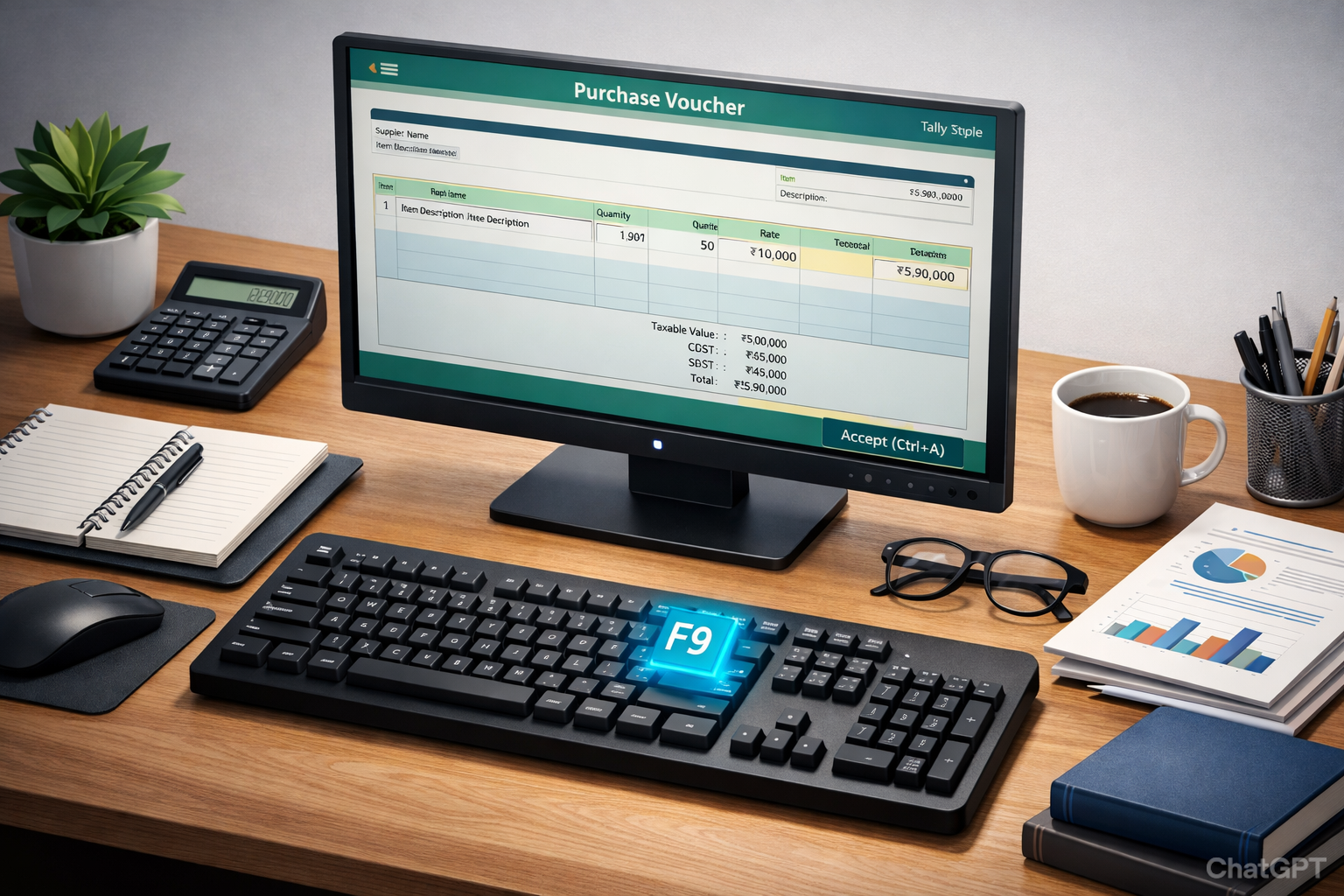
Caption -: Tally-Prime-F9-Purchase-Voucher-Practical-Example
Practical Example & Mathematical Logic
Let’s take a real-life case. Imagine you just received 50 monitors for your office. Instead of just typing numbers, understand the tax flow. Tally Prime 2026 simplifies the GST calculation, but as an accountant, you must verify the ‘Taxable Value’ before hitting Ctrl+A.
Imagine your firm, ServiceMoney, purchases 50 units of high-end monitors at ₹10,000 each with an 18% GST slab.
2. Handling Returns: Why Alt+F5 is Critical for GST Compliance
Primary Shortcut Key: Alt + F5
A Debit Note is issued by a buyer to inform the seller that they are debiting their account due to returns or price discrepancies. In Tally Prime, this is often called a “Purchase Return.”
Why Debit Notes are Critical in 2026
With the 2026 GST Invoice Management System (IMS), every Debit Note must be linked to an original invoice. Tally Prime now automatically prompts for the “Original Invoice No.” and “Date” to ensure your GSTR-3B data remains error-free.
In 2026, the way we handle returns has completely changed due to automation. The new IMS system requires high accuracy which can be easily managed if you Master the New AI-SmartFind & MRP Formulas in TallyPrime Vouchers. Understanding these automated formulas will ensure your tax analysis is always precise and error-free.

Caption -: Debit-Note-Alt-F5-GST-Compliance-2026
Common Use Cases:
- Goods Damaged in Transit: Returning defective items.
- Price Reduction: If the supplier provides a post-sale discount.
- Tax Rate Correction: If an item was billed at 18% instead of 12%.
Tally Prime Shortcut Keys 2026
3. Advanced Master Shortcuts for CAs & Experts
Being a CA isn’t just about knowing accounts; it’s about being efficient. If you are handling large audits, these power-user shortcuts are going to be your best friends.
Reporting & Navigation Shortcuts
- Go To Feature (
Alt + G): The “Google Search” of Tally. You can jump to a Balance Sheet while in the middle of a Purchase entry without losing your data.

Caption :- Tally-Prime-Alt-G-Go-To-Feature-Shortcut
- Change Period (
Alt + F2): Vital for year-end audits and comparing quarterly data. - Audit Trail (
Ctrl + B): In 2026, the Ministry of Corporate Affairs (MCA) requires an edit log. This shortcut shows who modified a voucher and when.
The 2026 updates in Tally are strictly aligned with the latest transparency norms. To understand the legal requirements behind why every company must maintain an edit log, you can refer to the Ministry of Corporate Affairs (MCA) Guidelines. Staying updated with these statutory changes will help you keep your firm audit-ready and compliant with the latest government mandates.

Caption -: Tally-Prime-Audit-Trail-Ctrl-B-Shortcut-Key
Voucher Edit Shortcuts
- Delete Voucher (
Alt + D): Permanent removal (use with caution!). - Cancel Voucher (
Alt + X): Keeps the voucher number but clears the values—highly recommended for maintaining serial numbers in GST. - Duplicate Voucher (
Alt + 2): Perfect for recurring monthly expenses like electricity or office rent.
4. The 2026 Shortcut Cheat Sheet
| Voucher / Action | Shortcut Key | 2026 Professional Use-Case |
|---|---|---|
| Purchase Entry | F9 | Recording inward supply & GST Portal syncing. |
| Debit Note | Alt + F5 | Purchase returns & ITC reversal compliance. |
| Sales Entry | F8 | Revenue generation & E-invoice generation. |
| Credit Note | Alt + F6 | Sales returns & customer balance adjustment. |
| Go To Feature | Alt + G | Quick multi-report navigation (The Tally Search). |
| Audit Trail | Ctrl + B | Checking voucher edit history (MCA Compliance). |
My personal favorite is Alt+G. Most people don’t use it enough. Whether you are in a Purchase screen or a Sales screen, this ‘Go To’ feature is a lifesaver when your boss suddenly asks for a Balance Sheet report mid-entry.
5. Technical Insights: ITC Reversal Logic
For my CA friends out there—we all know the headache of GSTR-2B reconciliation. When you use Alt+F5 for a Debit Note, Tally now does the heavy lifting for ITC reversal. Just make sure the ‘Reason for Return’ matches your physical debit note to avoid those pesky GST notices later.
Correctly calculating your Net ITC is a vital part of tax compliance. If you want to refine your skills in auditing and reporting, you should definitely Master Tax Analysis in TallyPrime with Essential Shortcuts for 2026. This guide provides the secret hacks you need for complex tax filings and reconciliation.
The Formula:
Professional Accounting Formula:
Tally Prime 2026 handles this via the “Statutory Details” screen that pops up after you save a Debit Note. Ensure you select the correct “Nature of Return” to avoid notices from the GST Department.
6. Optimization Tips for Servicemoney.in Readers
To get the most out of Tally Prime shortcut keys, follow these professional habits:
- Keep Num-Lock On: Use the numeric keypad for faster calculation entries.
- Master
Ctrl + A: Never click the “Yes” button to save. UseCtrl + Ato accept and save instantly. - Use
Alt + Cfor “On-the-fly” Creation: Need a new ledger or stock item while inside a voucher? Don’t go back to the home screen—just pressAlt + C.
Frequently Asked Questions (FAQ)
Q1: What is the difference between F9 and Alt + F5 ?
F9 is used for buying goods (Purchase), while Alt + F5 is used for returning those goods or reducing the payable amount (Debit Note).
Q2: Can I use Tally ERP 9 shortcuts in Tally Prime 2026 ?
Most core shortcuts remain the same, but Tally Prime has introduced Alt and Ctrl based combinations to make the interface more modern and mouse-free.
Q3: How do I enable Debit Notes in Tally Prime ?
If Alt + F5 isn’t working, go to F11 (Features) > Enable Cost Centres/Vouchers > and set “Enable Debit and Credit Notes” to Yes.
If you are new to these tax concepts or want to understand the logic behind Debit and Credit notes in detail, Investopedia’s Guide to Accounting Principles is an excellent resource. Combining these global accounting standards with Tally’s modern shortcuts will truly transform you into a high-speed professional accountant.
Conclusion
Mastering the Tally Prime shortcut keys for Purchase Vouchers and Debit Notes is not just about speed—it’s about accuracy and professional growth. In 2026, where tax laws are becoming automated, your ability to navigate accounting software efficiently will set you apart in the job market.
Whether you are managing a small business or a large corporation, these shortcuts are your tools for success on servicemoney.in.
Disclaimer
The information provided in this blog is for educational purposes based on Tally Prime 2026 release trends. Accounting practices may vary based on specific legal requirements of your region. Always consult a certified tax professional for official filings.


