

Have you ever wondered why some accountants finish their work in minutes while others struggle for hours? The secret isn’t just speed—it’s the complete mastery of the List of Voucher Types in Tally Prime.
List of Voucher Types in Tally Prime
Many students and accountants ask me on servicemoney.in about the exact number of vouchers in Tally. While books say one thing, the practical reality in 2026 is much more exciting. After working on multiple client data, I realized that understanding the core 24 vouchers is the foundation of error-free accounting.
In this guide, we will dive deep into the updated list of voucher types, including the latest 2026 features that make Tally Prime more powerful than ever.
How Many Vouchers in Tally Prime? (The 2026 Update)
If you are looking for a quick number: Tally Prime comes with 24 Pre-defined Voucher Types.
Technical accuracy is everything in professional accounting. If you want to dive deep into the technical side of how vouchers work, I highly recommend checking out the Official Tally Resource—it’s the best place to understand the software’s architecture.”
These are ready-to-use templates designed to cover almost every business transaction imaginable—from simple cash sales to complex payroll processing. However, the beauty of Tally Prime in 2026 is its flexibility. While there are 24 built-in types, you can create unlimited custom voucher types to suit your specific business needs (e.g., “Cash Sales” vs. “Credit Sales”).
While Tally offers great flexibility in creating custom vouchers, the real power lies in how you automate these entries. To take your skills to the next level, you should learn to Master the New AI-SmartFind & MRP Formulas in TallyPrime Vouchers which can help you handle bulk data with zero manual errors.
The 4 Pillars of Tally Vouchers
To make it easy for users, Tally categorizes these 24 vouchers into four main groups:
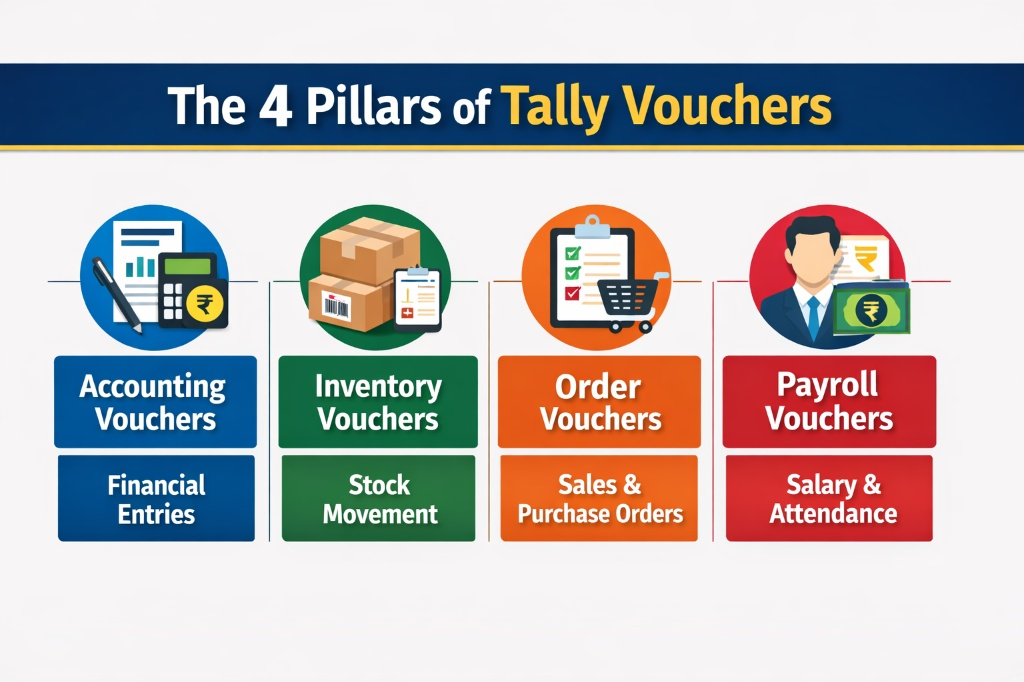
- Accounting Vouchers: For core financial entries.
- Inventory Vouchers: For tracking stock movement.
- Order Vouchers: For managing purchase and sales orders.
- Payroll Vouchers: For employee salary and attendance.
In my experience, 90% of beginners get confused between a Payment (F5) and a Journal (F7) voucher. Remember, if cash or bank is not involved, always look towards the Journal voucher. This simple rule saves hours during audit seasons.
Complete List of Voucher Types in Tally Prime (with Shortcuts)
To stay ahead in 2026, you need to know your shortcuts. Here is the definitive list of the most essential vouchers you will use daily:
Knowing the basic shortcuts is just the beginning of your journey. If you want to work like a high-speed professional, you must memorize the advanced navigation commands. Check out our dedicated guide on Essential Shortcut Keys for TallyPrime 2026 to perform tax analysis and voucher entries in half the time.
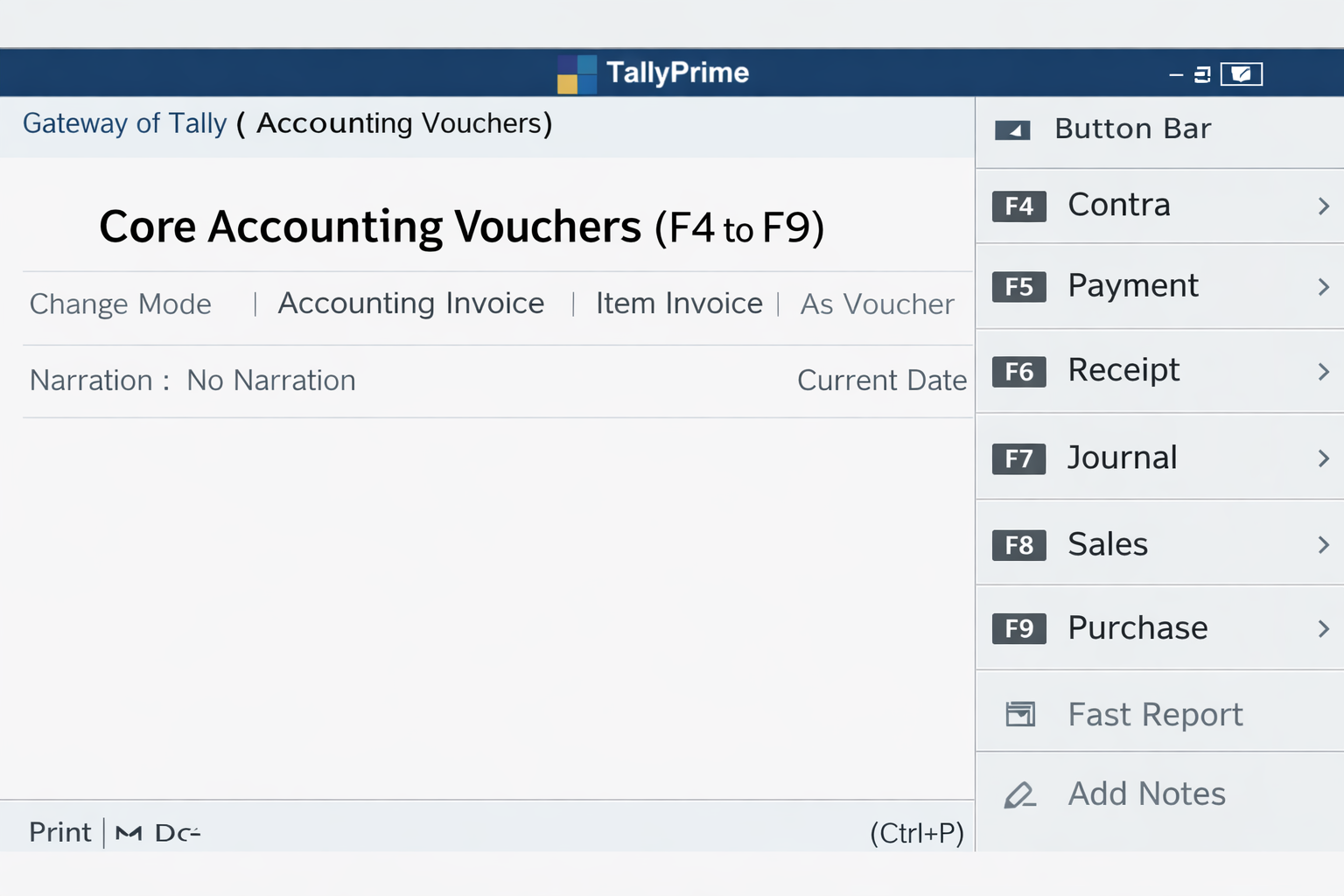
1. Core Accounting Vouchers
| Voucher Type | Shortcut Key | Best Use Case |
| Contra | F4 | Bank-to-Cash, Cash-to-Bank, or Bank-to-Bank transfers. |
| Payment | F5 | Any money going out (Salary, Rent, Vendor payments). |
| Receipt | F6 | Any money coming in (Customer payments, Interest). |
| Journal | F7 | Adjustment entries, Depreciation, and Non-cash items. |
| Sales | F8 | Recording GST-compliant sales of goods or services. |
| Purchase | F9 | Recording inward supplies and expenses. |
| Credit Note | Alt + F6 | Sales Returns or giving discounts after billing. |
| Debit Note | Alt + F5 | Purchase Returns or price corrections. |
2. Inventory & Order Management
- Purchase Order (Ctrl + F9): Issued to vendors before the actual purchase.
- Sales Order (Ctrl + F8): Received from customers before the actual sale.
- Delivery Note (Alt + F8): When goods are sent out without an immediate invoice.
- Receipt Note (Alt + F9): When goods are received but the bill is pending.
- Stock Journal (Alt + F7): For inter-godown transfers or manufacturing entries.
What’s New in Tally Prime Vouchers for 2026?
Tally Prime (Version 5.0/6.0 and beyond) has introduced game-changing updates that you won’t find in older blogs. If you are writing for servicemoney.in, these points will make your content unique:
- Integrated Payment Links: In 2026, Tally allows you to generate UPI/QR codes directly within the Sales Voucher. No more switching to third-party apps!
- Auto-Voucher Creation: Using the “Connected Banking” feature, Tally can now fetch bank statements and suggest voucher entries automatically, reducing manual errors by 90%.
- IMS (Invoice Management System) Integration: The vouchers are now smarter. They automatically check your vendor’s GST filing status before you save a Purchase Voucher to ensure your ITC (Input Tax Credit) is safe.
The new IMS feature in Tally Prime is a total lifesaver for businesses. Since it syncs with government rules, make sure to keep an eye on the Official GST Portal so your voucher entries always match the latest ITC and invoice matching standards.”
- AI-Driven Ledger Suggestions: As you type, Tally’s new search engine (SmartFind) predicts which ledger you want to use based on your past 12 months of data.
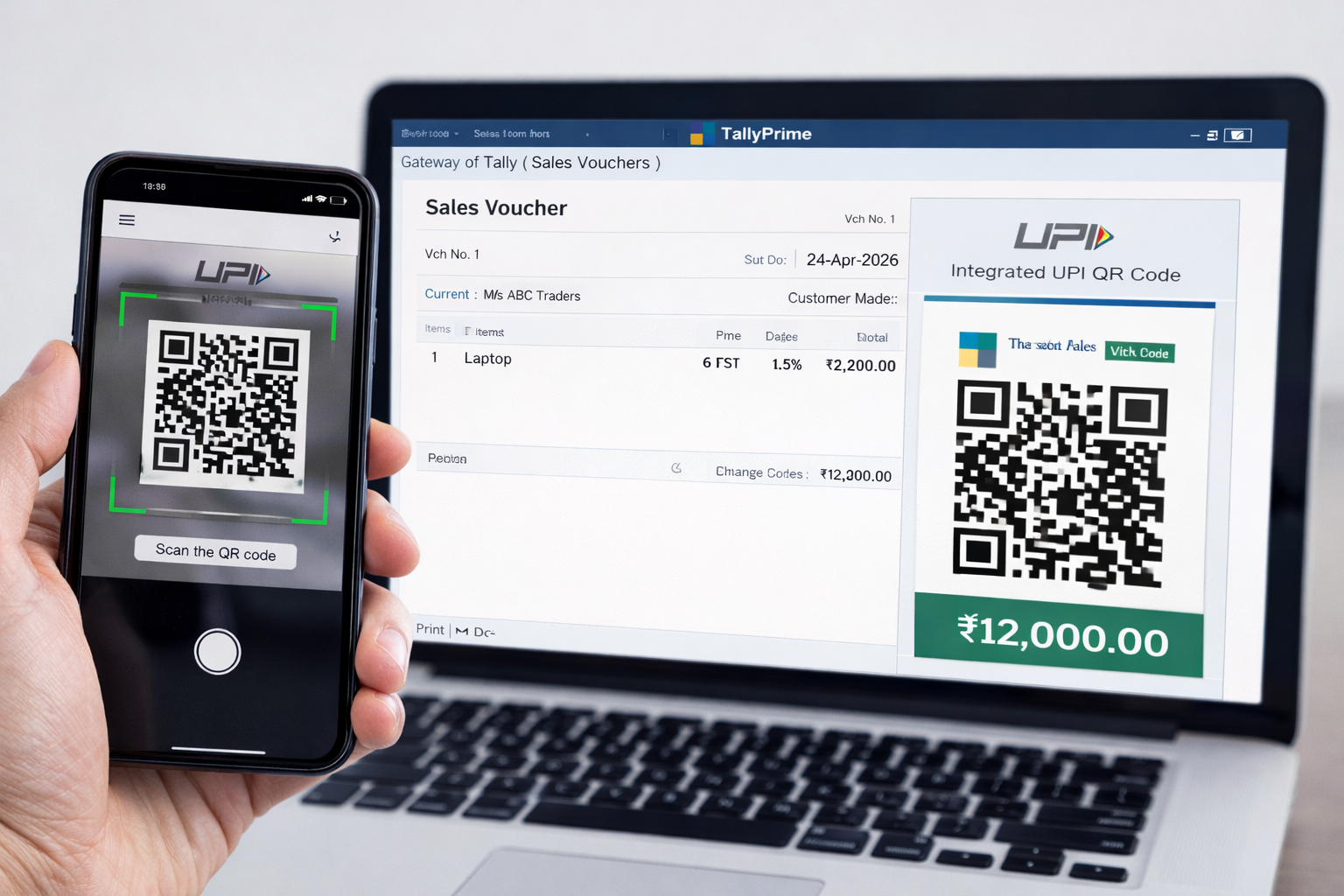
Personally, I find the new QR code integration a lifesaver. It has reduced the payment follow-up time for our clients significantly. If you aren’t using this feature yet, you are missing out on true automation.
Real-World Example: The GST Trap
Imagine you purchased a laptop for your office worth ₹50,000. If you enter this in a Purchase Voucher (F9) like a regular stock item, your inventory will show one ‘Laptop’ but your Fixed Assets won’t be updated correctly for depreciation.
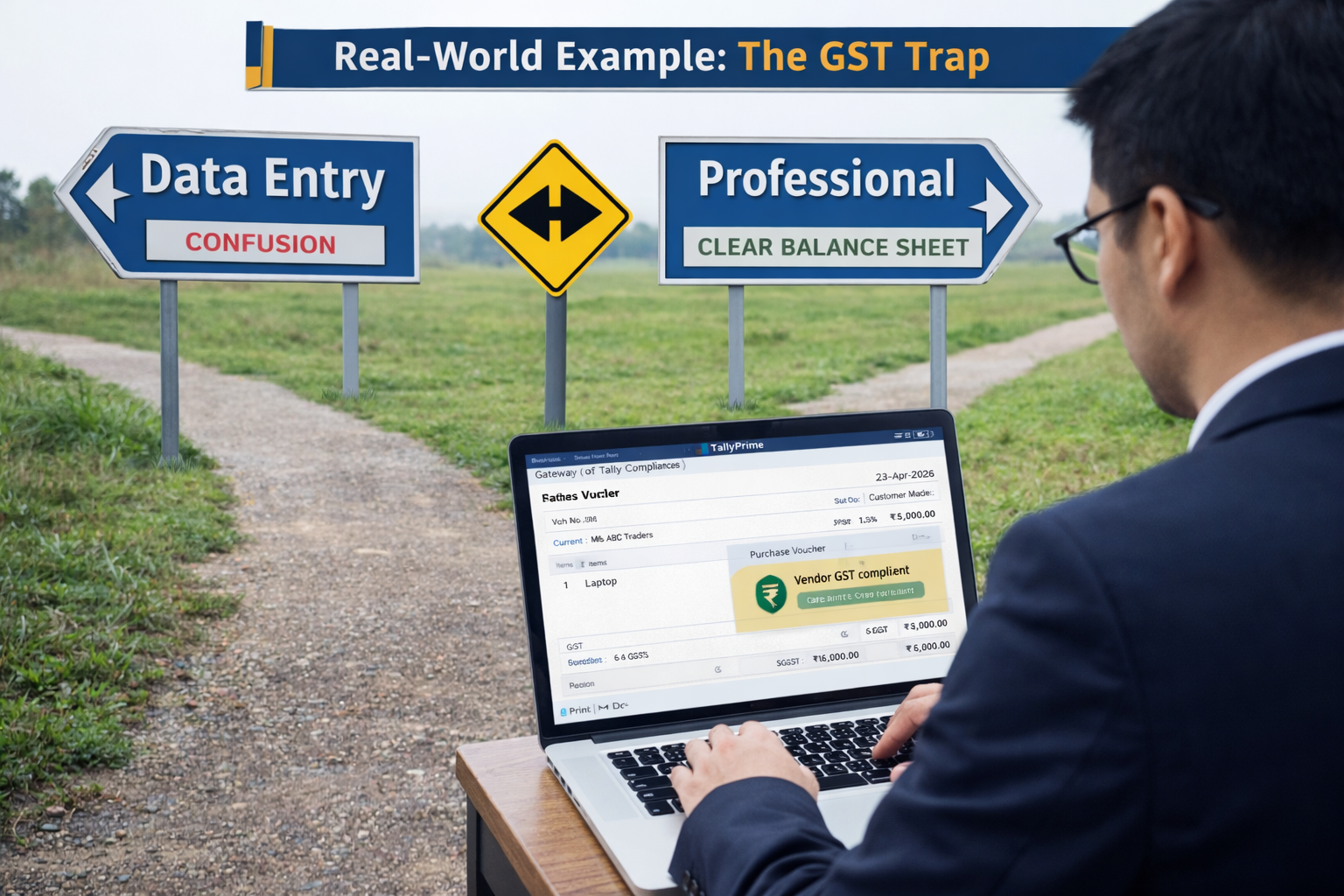
The Human Way :- An experienced accountant would use the Journal Voucher (F7) or Purchase Voucher (in Accounting Invoice mode) to ensure the GST is claimed and the Asset is recorded. This is the difference between a ‘Data Entry Operator’ and a ‘Professional Accountant.
Practical accounting often comes with tricky situations where GST doesn’t show up in your reports. If you find yourself stuck in a similar ‘GST Trap,’ here is a step-by-step solution on why This Voucher Has No Tax Implications & How to Fix It to ensure your business remains audit-ready and compliant.
Why Understanding Voucher Types is Critical for Business
Using the wrong voucher type is the 1 reason for “Mismatched Balance Sheets.” For example, if you enter a Bank-to-Bank transfer in a Payment Voucher instead of Contra, your cash flow reports will show an artificial expense.
Pro Tip: Always use the Journal Voucher (F7) for year-end adjustments. It’s the “Swiss Army Knife” of accounting that keeps your books audit-ready.
Picking the right voucher isn’t just about knowing the software—it’s about following real accounting logic. To understand why we treat certain entries as assets or expenses, I suggest checking out the ICAI Accounting Standards. It’s the same framework top CAs use to keep their books professional.”
Frequently Asked Questions (FAQs)
Q1. Can I delete a pre-defined voucher type in Tally ?
No, you cannot delete the 24 default voucher types. However, you can “Alter” them or create your own ‘Optional” vouchers.
Q2. How do I see all voucher types in Tally Prime ?
Go to Gateway of Tally > Chart of Accounts > Voucher Type. This will show you the complete list including any custom ones you’ve created.
Q3. What is the difference between a Journal and a Contra voucher ?
Contra is strictly for Cash and Bank transactions. Journal is for everything else that doesn’t involve immediate cash/bank movement, like credit purchases of fixed assets.
Q4. Is the 2026 version of Tally Prime different ?
Yes! The 2026 updates focus on automation and GST compliance, making voucher entry faster with ‘Go To’ navigation and automated e-invoicing.
Conclusion
Mastering the list of voucher types in Tally Prime is the first step toward becoming a financial expert. With 24 pre-defined vouchers and the advanced automation of 2026, Tally Prime makes accounting seamless, accurate, and lightning-fast.
Start practicing these shortcuts today, and you’ll see your productivity soar!
Disclaimer: The information provided on servicemoney.in is for educational purposes only. While we strive to provide the most updated 2026 Tally Prime data, always refer to the official Tally Solutions documentation for technical software changes.


